Tech gadgets are everywhere—smartphones in our pockets, laptops on our desks, smartwatches on our wrists, and headphones in our bags. But how long do these beloved devices actually last? And more importantly, how can we make them last longer?
Let’s dive into the life expectancy of popular tech devices and explore practical tips to extend their lifespans, save money, and reduce electronic waste.
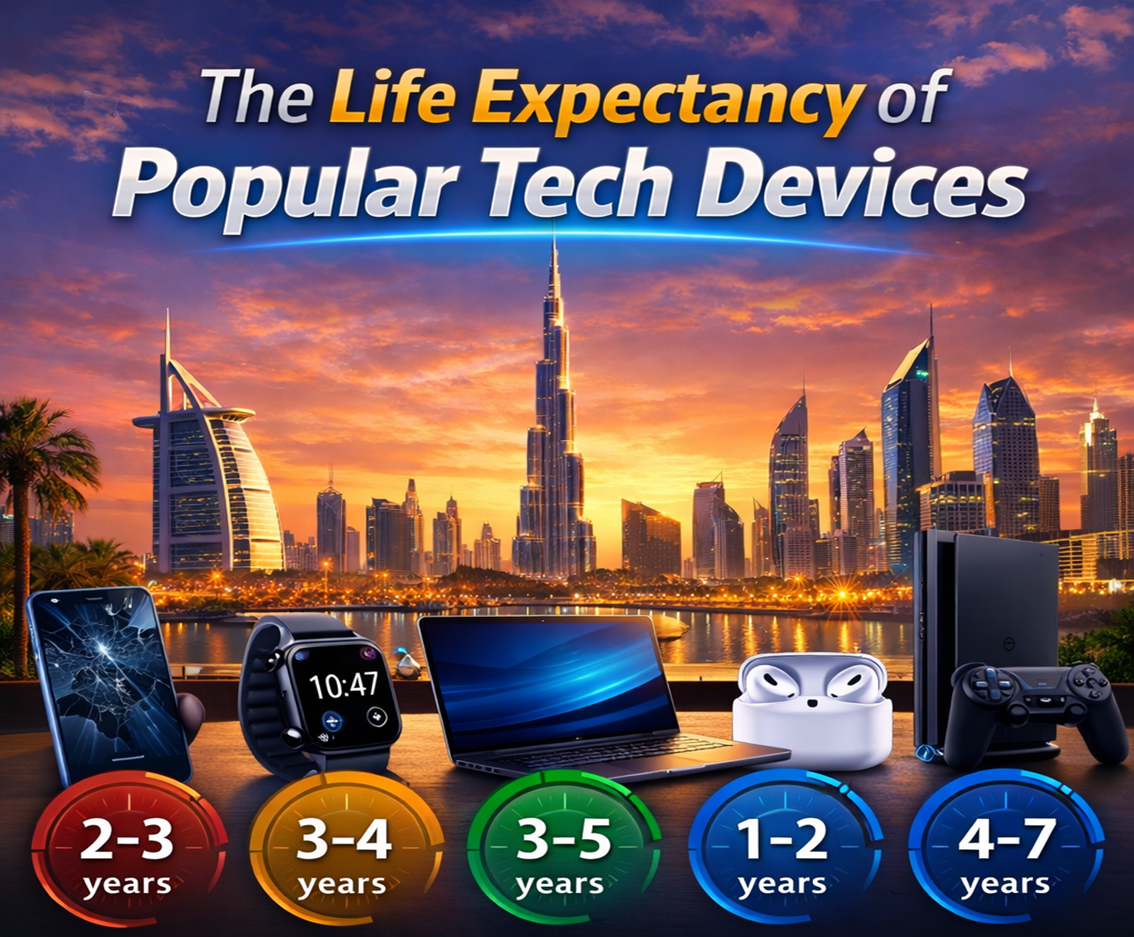
1. Smartphones — 2 to 4 Years (Usually)
Smartphones are among the most used tech devices in the world, and yet they often don’t last as long as we’d hope.
Typical Lifespan
- Average: 2–4 years
- Batteries often degrade first, reducing how long your phone lasts in a day.
- Software support from manufacturers usually lasts about 3–5 years (varies by brand).
Why They Die Sooner
- Battery wear from daily charging.
- Software updates that demand more resources.
- Physical damage (drops, spills).
- Outdated apps requiring newer OS versions.
How to Extend Smartphone Life
Take care of the battery
- Avoid letting it drain to 0% frequently.
- Try to keep charge between 20% and 80% when possible.
- Use the original charger or high-quality alternatives.
Protect it physically
- Use a shock-absorbing case and screen protector.
- Clean ports gently to avoid dust buildup.
⚙️ Update smartly
- Install updates regularly, but don’t rush to major OS upgrades right away if your device is older and slower.
Declutter storage
- Remove unused apps.
- Use cloud storage for photos and videos.
2. Laptops — 3 to 7 Years
Laptops are a bigger investment, but their longevity varies widely based on build quality and usage.
Typical Lifespan
- Budget models: 3–5 years
- High-end models: 5–7+ years
Factors That Affect Laptop Lifespan
- Processor and memory capacity becoming outdated.
- Battery health (especially in ultra-thin laptops).
- Wear and tear on keyboard, trackpad, and hinges.
- Dust inside cooling fans causing overheating.
Tips to Make Your Laptop Last Longer
Keep it cool and clean
- Use a cooling pad if you do heavy tasks (gaming, video editing).
- Blow out dust from vents every few months.
Upgrade instead of replace
- Adding more RAM or swapping to an SSD can breathe new life into older machines.
Care for the battery
- Don’t leave plugged in at 100% every time.
- If battery health dips severely, consider replacing it.
Use external tools
- External keyboard/mouse can reduce wear on the built-in components.
3. Smartwatches — 2 to 5 Years
Smartwatches are beautiful pieces of tech but often have shorter lifespans than phones or laptops.
Typical Lifespan
- Manufacturers: usually 2–4 years before support ends.
- Practical usage: 3–5 years before battery and performance lag.
Top Challenges
- Small batteries that wear quickly.
- Constant motion and sensor usage.
- Software updates that increase power usage.
How to Prolong Smartwatch Life
⚡ Manage battery drain
- Turn off features you don’t use (always-on display, continuous heart rate tracking).
- Reduce notification clutter.
Keep it clean
- Sweat, lotion, and dust can damage sensors and bands over time.
- Clean with gentle wipes regularly.
Avoid unnecessary strain
- Use airplane mode during workouts if you don’t need GPS.
- Opt for darker watch faces on OLED screens to save power.
4. Headphones & Earbuds — 2 to 6 Years
Audio gear ranges widely based on quality and care: premium models often last much longer.
Typical Lifespan
- Wired headphones: approx 3–7 years.
- Wireless earbuds: approx 2–4 years (battery wears out).
- Premium over-ear Bluetooth: 4–6+ years.
Why They Fail
- Battery degradation in wireless models.
- Cable fraying and jack issues in wired ones.
- Sweat and moisture damage.
Extend Their Freshness
Store with care
- Keep cables coiled loosely, avoid tight knots.
- Use carry cases to prevent physical damage.
Charge right
- Don’t leave wireless earbuds charging constantly.
- Avoid extreme temperatures—heat is especially bad for batteries.
Keep them clean
- Earwax and dirt reduce sound quality and can damage drivers.
- Brush gently with a dry toothbrush or a cotton swab.
5. Printers — 5 to 8 Years (or More)
Printers are one of the most underrated devices when it comes to lifespan.
How Long They Last
- Average printer: 5–8 years with regular use.
- Heavy-duty models can last even longer.
Common Problems
- Ink drying in cartridges.
- Paper jam damage.
- Firmware issues causing incompatibility.
Tips to Keep Your Printer Healthy
️ Print regularly
- Infrequent use causes ink to dry and clog nozzles.
Clean gently
- Follow the manufacturer’s cleaning routines.
- Keep in a dust-free area.
Use compatible ink
- Name-brand cartridges may cost more, but cheap refills can damage heads.
6. Cameras — Variable, Often 7+ Years
Digital cameras, especially DSLRs and mirrorless models, can last a long time.
Typical Lifespan
- Entry-level: 5–7 years
- Mid to high end: 10+ years
Why They Last
- Optical gear is mechanical and less tied to software updates.
- Sensors don’t wear out quickly if handled well.
Tips to Maximize Camera Life
Store safely
- Use padded bags and keep silica gel packs to reduce moisture.
Take battery care
- Batteries age faster if left fully drained or fully charged for extended periods.
Clean lenses
- Use lens pens and microfiber cloths—avoid breathing directly on glass.
7. Smart Home Devices — 3 to 8 Years
From smart speakers to thermostats, these devices vary wildly by brand and tech.
Typical Lifespan
- Smart plugs & bulbs: 3–6 years
- Smart speakers/displays: 4–8 years
Longevity Factors
- Software platform support (important for connected devices).
- Build quality.
- How often they’re active.
Tips to Extend Smart Home Tech
Keep software updated
- Regular updates patch security issues and improve performance.
Secure them
- Use strong network passwords and segregate IoT devices on a separate network.
Power protectors
- Use surge protectors to safeguard against electrical spikes.
Why Device Lifespan Matters
Save Money
Replacing devices less often means more money stays in your pocket.
Reduce E-Waste
E-waste is one of the fastest-growing waste streams globally. Making your tech last longer reduces environmental impact.
Feel Good
There’s a sweet satisfaction in squeezing every ounce of usefulness out of your tech.
Final Tips to Make All Your Devices Last Longer
Here’s a quick, universal checklist that applies to almost any gadget:
1. Clean and Care
Dust and grime are surprisingly destructive. Wipe down devices regularly and keep ports clear.
2. Protect Physically
Use cases, covers, screen protectors, padded bags—cheap insurance for expensive gear.
3. Update Mindfully
Always read update notes. If your device is older, major OS updates might make it slower.
4. Watch the Battery
Lithium-ion batteries are great, but they don’t like extremes—avoid heat, cold, and constant 0%/100% cycles.
5. Recycle Smartly
When it’s finally time to let go, recycle responsibly. Many manufacturers and retailers offer take-back programs.
Conclusion
Tech adds so much convenience and joy to our lives—but too often, we forget to care for it the way we do our health, cars, or homes. Understanding how long our devices should last helps us plan smarter purchases, avoid unnecessary upgrades, and treat our gadgets with intentional care.
Whether it’s extending your smartphone beyond three years or keeping your laptop humming happily for half a decade, a little love goes a long way.
So go check that battery health, grab a case for your gear, and maybe—just maybe—hold off on that upgrade for another year!